PAC Basics Extended

Current Status

Not Enrolled

Price

$199.00

Get Started

This course is currently closed

📢 2026 Update

Enrollment in this course now also includes enrollment and early access to the new 2026 Edition. Learn more here »

Buy For Someone Else (Voucher) Open Course Data Sheet (PDF)

Note: to purchase this course for someone else, choose “Voucher.” Enrolling three or more people? Contact us here to learn about our group enrollment program.

At a Glance

Format
Online, self-paced

Lessons
55+ online lessons

Skill Level
Intermediate: Basic knowledge of PLCs, PCs, and Ladder Logic required

Access
Lifetime, no expiration

Certificate
Yes, with PDHs

Starting Price
Standard: $99, Extended: $199

Content Last Reviewed
March 6, 2026

What You’ll Learn:

By the End of This Course, You’ll Be Able To:

  • ✓ Choose the right ControlLogix hardware and I/O for a given application
  • ✓ Setup and Configure a ControlLogix controller from scratch
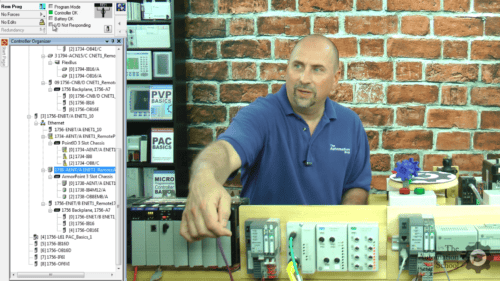
  • ✓ Set up Ethernet, Serial DF1, and ControlNet communications in RSLinx Classic
  • ✓ Flash firmware and navigate version differences across ControlLogix models
  • ✓ Write, test, and independently troubleshoot ladder logic routines
  • ✓ Test and Force I/O, as well as make online Edits
  • ✓ Use and Create UDDTs and AOIs, including PlantPAX
  • ✓ Message other PACs and PLCs, create and use Produced and Consumed Tags
  • ✓ Integrate VFDs into Motor Control programs
  • ✓ Build and debug Ladder Logic routines based on real world applications
  • ✓ Build and debug Function Block Diagram based on real world applications
  • ✓ Build and debug Structured Text routines based on real world applications
  • ✓ Build and debug Seqencial Function based on real world applications

What You Receive With Your Purchase:

  • ✓ Immediate online access
  • ✓ Fifty-five plus online lessons
  • ✓ Twenty Two file downloads
  • ✓ Online instructor support
  • ✓ PLC App Simulator for Win10 & 11
  • ✓ No expiration date
  • ✓ Take lessons in any order
  • ✓ Retake lessons as needed
  • ✓ Completion certificate with PDHs
  • ! Logix hardware & software is NOT included

Proudly Serving Thousands of Individuals and Companies

Georgia-Pacific
Owens Corning
Saint-Gobain
SWM
Tyson
National Gypsum
Louisiana-Pacific
CommScope
Desalitech
Bimbo
Manroland Goss
Martin Marietta
Dynamic Attractions
Coca-Cola
EHM
Green Electric
Harmony Process
Inframark
Kaman
Flex Concepts
MIT
MEVEX
Motus
North Wind
Oatey
Prime Conduit
SPT
Vertech

ControlLogix PAC Basics Extended Online Training Course

You don’t need to spend thousands of dollars and several days in a classroom to learn how to use, program, and troubleshoot Allen-Bradley’s ControlLogix Programmable Controllers. All you need is some basic PLC knowledge, a Windows PC, and our affordable PAC Basics Online Course..

PAC Basics is the perfect online course for electricians, technicians, and engineers who understand the difference between a bit, byte and word, and can read basic ladder logic, and now want to learn to setup, program, and troubleshoot Allen-Bradley’s line of ControlLogix programmable controllers.

Taught by a factory certified PLC specialist with over thirty years of experience, and has used every ControlLogix controller released, this course you will learn everything you need to know to get started using Rockwell’s ControlLogix Programmable Automation Controllers with confidence.

Unlike other vendor’s courses that only become available after you purchase their expensive hardware or trainers, our PAC Basics courses doesn’t require you to purchase any additional parts as we show you how to get a thirty day trail copy of Allen-Bradley’s PAC Programming and Emulation software, Studio 5000 and Emulate 5000, to use with this course.

And for those who’d prefer to learn with a physical ControlLogix, we also cover which Controllers and Cables work best and why, as well as how to set them up and program them. We even provide you with an overview of every ControlLogix controller, detailed step by step instructions on how to connect to each, and a list of components and devices used to build the affordable, homemade PLC trainer we use in this course.

Unlike other companies whose job is done once the sale is complete, we’re committed to your success and actively encourage students to post questions in the lesson discussion area. Our expert instructors visit The Automation School each weekday to support and answer student questions.

We also invite you to come back and retake any lesson as the need arises, which is made possible by the fact that none of our course come with an expiration date.

And when you finish your course and pass all the quizzes, you’ll also be rewarded with an official Completion Certificate from from The Automation School that lists the Professional Development Hours you’ve earned by completing all of the course content.

Topics covered in PAC Basics

Below is a summary of the topics covered in each course. For a complete list, see the course lesson list.

Topics covered in both the Standard and Extended Courses:

  • Design of the System and Components
  • ControlLogix Controller Anatomy
  • Manuals and Documentation
  • Software Packages and Versions
  • RSLogix 5000 vs Studio 5000
  • RSLogix and Studio 5000 First Look
  • New look and feel of v31 versus v30
  • Controller Properties
  • Tasks, Programs, Routines, Tags
  • Ethernet and ControlNet Addressing
  • How to setup RSLinx Classic Drivers
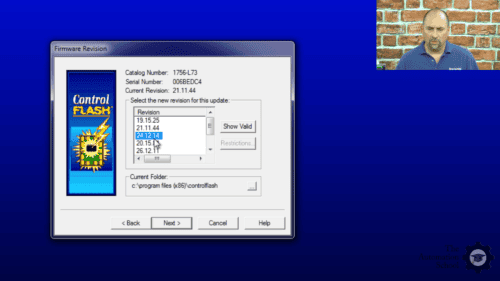
  • Flashing Controller and Module Firmware
  • Adding Local, Ethernet, and ControlNet I/O
  • Testing and Troubleshooting I/O Config
  • Controller and Program Tags
  • How Ladder Logic Diagrams (LD) differ in ControlLogix
  • Creating a Motor Control Ladder Routine
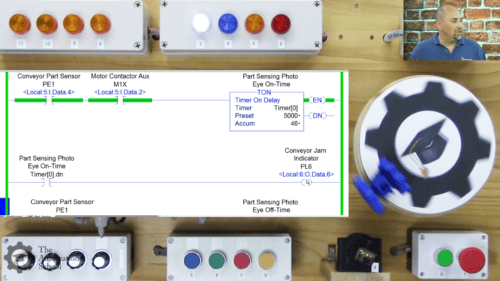
  • Using Photo Eyes for Part Sensing (LD)
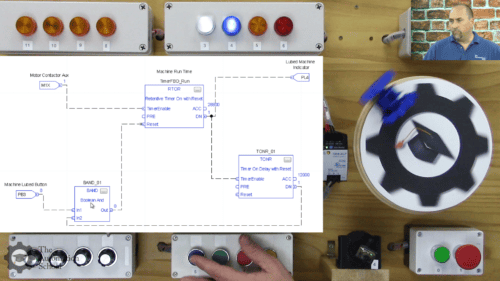
  • How Function Block (FBD) Routines work
  • Create a Machine Runtime FBD Routine
  • How User Defined Data Types (UDT) work
  • Create and use UDTs in Part Counting

Additional Topics cover in the Extended Edition:

  • How Structured Text (ST) Routines work
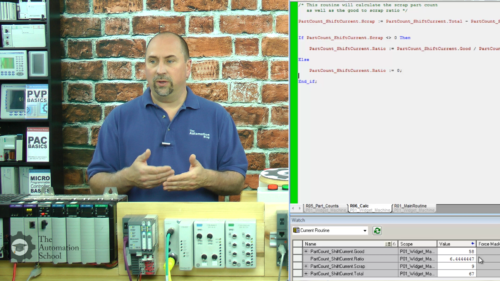
  • Calculate Scrap Ratios using ST Routine
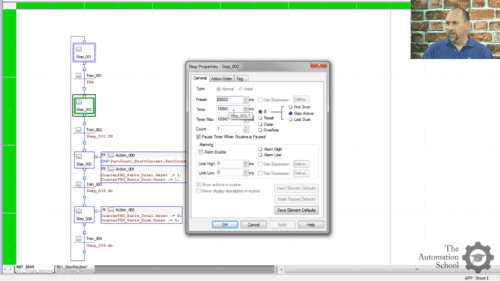
  • Sequential Function Chart (SFC) Routines
  • Part Count, Copy, Reset Routine using SFC
  • Changing a Project’s Version
  • Duplicating and Re-using Code
  • How Add-on Instructions (AOI) work
  • Create, Download, and Use AOIs
  • Using PlantPAx Objects AOIs
  • Using Produced and Consumed Tags
  • Messaging ControlLogix Controllers
  • Messaging Controllers over DF1
  • Messaging Controllers over DH+
  • Messaging Controllers over Ethernet
  • Bonus: Legacy PLC Comm Setup
  • PowerFlex VFD Integration
  • Using LD and VFDs for Motor Control
  • Using FBD for VFD Motor Control
  • Controlling VFDs over Ethernet

Who Should Take This Course

Anyone who has some PLC experience and would like to learn how to setup, program, and troubleshoot the Allen-Bradley ControlLogix line of Programmable Automation Controllers.

Who This Course Is NOT For

  • Complete beginners who don’t know what a PLC is, or how ladder logic works — start with our foundational PLC basics course first, then come back to this one
  • Anyone looking for PLC training on non-Allen-Bradley Logix platforms (e.g. PLC-5, SLC-500, Siemens, Mitsubishi, Omron)
  • Anyone who only needs SCADA/HMI screen-building skills, without PLC programming
  • Anyone who feels the need to complete the option hands-on exercises, but is unable or unwilling to use one of the free or low cost options are covered in free preview lesson 1.02. This is rarely a problem, but obviously some initiative is required of students who wish to complete the hands on labs on their PC.)

Meet Your Instructor
Shawn Tierney

Industrial Automation Instructor
Founder of The Automation School, The Automation Blog, and Host of The Automation Podcast and Show

Hi, I'm Shawn Tierney, and I've spent more than 35 years helping
electricians, technicians, engineers, and programmers learn how to setup, program,
and troubleshoot industrial automation products and systems.
During my first 25 years I attended over fifty weeks of Rockwell Automation
training, and earned several certifications, including becoming a Certified
Controls & Information Specialist
.
And since 2015 I've focused full-time on creating practical online and in-person
training courses to help people like you build and maintain real-world PLC, HMI,
and SCADA systems.

Throughout my career I've trained thousands of automation professionals in
manufacturing, OEM, and system integration environments. Every course I create is
based on practical field experience, emphasizing techniques you can immediately
apply on the plant floor.

My goal is simple: help you become more confident, more productive, and more
valuable as an automation professional.

  • 35+ Years in Industrial Automation
  • Rockwell Automation Certified Controls & Information Specialist
  • Instructor to Thousands of Automation Professionals
  • Creator of The Automation School
  • Author of The Automation Blog
  • Host of The Automation Podcast and Show

Learn more about Shawn at .


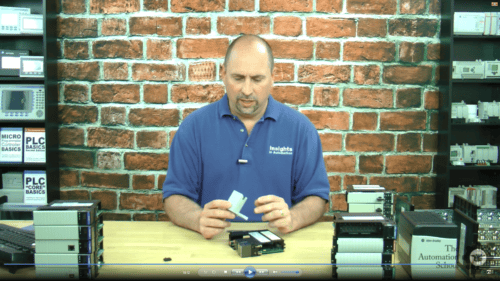
Video: Hardware, Software, and Simulation Options

Course and Bundle Pricing

PAC Basics course and bundle pricing comparison
Feature PAC Basics
Standard Edition
PAC Basics
Extended Edition
A-B Mega Bundle
Save 45%
A-B Ultra Bundle
Save 45%
Price $99 $199 $699 $899
Instant & lifetime access ✓ ✓ ✓ ✓
PLC App Sim (Win 10/11) ✓ ✓ ✓ ✓
Digital Twin for PLC Lab 3D ✓ ✓ ✓ ✓
Lesson Q&A support ✓ ✓ ✓ ✓
Live Q&A (Lesson 1.11) ✓ ✓ ✓ ✓
Completion certificate with PDHs ✓ ✓ ✓ ✓
Intermediate lessons — ✓ ✓ ✓
Bonus videos — ✓ ✓ ✓
New ControlLogix course — ✓ ✓ ✓
CompactLogix courses — — ✓ ✓
Micro800 courses — — ✓ ✓
MicroLogix courses — — ✓ ✓
PanelView Plus / FTViewSE courses — — ✓ ✓
CCW VFD Quickstart — — ✓ ✓
Mastering PLCLogix / Factory I/O — — — ✓
SLC-500, PLC-5, SLC-100 & DeviceNet — — — ✓
Enroll Buy Online Course Buy Online Course Buy 11 Course Bundle Buy 17 Course Bundle

Note: to purchase this course as a gift, or for someone else to take, choose the Voucher option at the top of the page.

Video: Hands-on Exercises

Note: If the sample lesson video above does not load, your place of business may be blocking our video host, Vimeo.com. To verify this, try viewing the video on your cell phone or home PC, or ask your IT department to unblock educational videos hosted on Vimeo.com. You can also view another sample lesson here.

Lesson Snapshots

Student Reviews

All students who complete the course are invited to leave a review, and you can see all the existing student reviews on the Reviews tab above.

Course Requirements

Requirements to follow along and/or complete any optional exercises

Students who wish to complete any optional exercises, or just follow along with the instructor as he teaches, will need the following:

  • An internet connection to take this online course
  • To write programs, an installed and working copy of either RSLogix 5000 or Studio 5000 Logix Designer Mini or better
  • To download and test programs, a physical ControlLogix controller, power supply, I/O and communications cable — or a copy of Studio 5000 Emulate along with a compatible version of RSLogix 5000 or Studio 5000 Logix Designer
  • Instructions on how to request a free 30-day evaluation and demo copy of Studio 5000 Logix Designer and Emulate 5000 from Rockwell are covered in the course
  • A Windows PC compatible with the above software, controller, and communications cable (all controllers, cables, and drivers are covered in the course)
  • Optionally, any input (push buttons, switches, etc.) or output (pilot lights, relays, etc.) devices you’d like to use with your ControlLogix — a list of the devices we use is provided
  • Note: While the course covers how to find I/O wiring diagrams, it does not include lessons on basic electricity or basic wiring skills

To learn if your PC’s Windows Operating System is compatible with the version of RSLogix 5000 or Studio 5000 Logix Designer you’d like to use, see Rockwell’s compatibility page (this topic is also covered in the course).

Course Pre-sales Questions

Have a question about this course? Send it to the instructor below.

Contact for Discount Coupon

Submitting from completed course: PAC Basics Extended


Frequently Asked Questions

General Questions

Is this course beginner friendly? Do I need previous PLC experience?

As explained in Lesson 1.01 (available as a free preview before purchasing the course), those with no prior Programmable Controller experience are encouraged to take my PLC Basics course first. It covers several beginner-level topics that are not included in this course, including:

  1. What a Programmable Controller is and how it works
  2. What Ladder Logic is and how it works
  3. What Data Types are and how they are used

If you’re already familiar with those topics, and you know how to use a Windows PC, then you’re ready to take this course.

Who is this course designed for?

I specifically designed this training for industrial electricians, maintenance technicians, and controls engineers who need to learn how to set up, program, and troubleshoot ControlLogix systems.

Whether you’re an experienced controls engineer or technician who has worked with other PLC platforms and wants to learn ControlLogix, or you’re an industrial electrician or maintenance technician responsible for keeping a ControlLogix-controlled machine or system running, this course will help you develop the skills needed to confidently setup, program, and troubleshoot ControlLogix systems.

I also focus on the practical skills industrial automation professionals actually use every day. You’re not just going to learn how to write basic Ladder Logic—you’ll learn how to select, configure, program, and troubleshoot complete systems using real-world industrial applications and examples.

How long does it take to complete?

The required video lessons total more than nine hours of instruction. However, that does not include any additional time you choose to spend completing the optional hands-on exercises.

Most required lessons are 20 minutes or less, allowing you to complete them whenever your schedule permits without having to set aside several hours at a time.

And since all of my courses include lifetime access, you can return and review any lesson as often as you like.

Do I need physical PLC/PAC hardware and/or a physical PLC trainer?

No. You do not need a physical ControlLogix controller or hardware trainer to complete this course.

While owning a ControlLogix controller and trainer can certainly enhance your ability to complete the optional hands-on exercises, I recognize that many students cannot justify spending $10,000 or more on a ControlLogix controller and a Studio 5000 software license just for learning purposes.

So to make this training accessible to as many students as possible, all hands-on exercises are completely optional, and I also provide several free and low-cost alternatives that allow you to complete the labs without purchasing expensive hardware and software licenses.

One free option I provide my students is a license of my PLC Application Simulator. This lightweight Windows 10 and Windows 11 application simulates a generic PLC along with my classic “Widget Machine,” allowing you to build and test the Ladder Logic solutions covered in the optional exercises without requiring any other hardware or software. While it doesn’t exactly replicate a specific Programmable Controller, it’s very similar and a license is provided free to all my PLC/PAC students.

For students looking for a more advanced experience, I also offer Logic Design’s PLCLogix 5000 (currently $299 when bundled with my PLCLogix 5000 Applications course). This lifetime license simulates:

  1. RSLogix/Studio 5000
  2. A Logix controller with I/O
  3. Ten different plant simulations (I/O Worlds)
  4. A traditional PLC hardware trainer

And for students who own a physical ControlLogix controller (or have a license of FactoryTalk Logix Echo), I’ve partnered with MHJ Software to provide a free digital twin of the physical trainer used throughout this course, along with a complimentary 90-day license of PLC Lab 3D Studio (a $50 value!)

This allows you to complete the optional hands-on exercises using a virtual trainer inside PLC Lab 3D Studio with your own ControlLogix controller (or FactoryTalk Logix Echo), eliminating the need to purchase a physical trainer or wire dozens of buttons, switches, lights, and motors to your controller.

Finally, for those students who have a ControlLogix controller (or FactoryTalk Logix Echo) and FactoryTalk View Studio Machine Edition, I also include a complete View ME project bundled with a ControlLogix project file which contains simulation logic. This combination allows you to complete all of the optional programming exercises using View ME and your own controller.

For more detailed information about these and other available options, please watch Lesson 1.02, which is available as a free preview before purchasing the course.

What software do I need to complete the hands-on exercises and labs?

I created this course knowing that not everyone who takes it will have access to a license of RSLogix 5000 or Studio 5000 Logix Designer.

While there are certainly advantages to having a Windows PC running RSLogix or Studio 5000, you do not need to purchase a license (starting around $1,720) to complete this course.

Instead, as discussed in the previous answer (and in Lesson 1.02 – available as a free preview before purchasing the course), I do cover several free and low-cost alternatives to purchasing a controller and software license.

Is instructor support included?

Yes.

When you enroll in this course, you receive more than just the video lessons and downloadable materials—you also receive direct access to the instructor for lesson-related questions.

At the bottom of every lesson is a discussion area where students can post questions, and I personally answer them.

And if a written response isn’t enough to resolve your question, eligible students may also schedule a short Microsoft Teams meeting with me during office hours (see Lesson 1.11).

Note that the number of complimentary live meetings available depends on the course you’ve purchased, and these sessions are specifically intended to answer questions related to the course material, and not as a free consulting or tech support service.

For those students seeking assistance beyond the course content, paid mentoring services are also available for topics covered in my training (see Lesson 1.12).

Is the course self-paced?

Yes.

The course is completely self-paced, allowing you to progress through the lessons according to your own schedule and learning style.

Because all of my courses include lifetime access, you can also revisit and review any lesson as many times as necessary.

Does the course include labs?

Yes.

This course includes numerous optional hands-on exercises that allow you to apply what you’ve learned throughout the video lessons and demonstrations.

For students who don’t own a ControlLogix controller or RSLogix/Studio 5000, I also discuss several free and low-cost ways to complete the optional exercises in Lesson 1.02, which is available as a free preview before purchasing the course.

Will I receive a certificate?

Absolutely.

Completing this course is a significant achievement, and I want to make sure you have professional documentation recognizing your accomplishment.

Once you’ve passed all required quizzes and marked every lesson complete, a link will appear on the course homepage allowing you to view, print, and download your course completion certificate. You’ll also find links to leave course feedback, request a discount on your next course, and submit a course review.

Your certificate also lists the Professional Development Hours (PDHs) you’ve earned while completing the course. These hours are calculated based on the time required to complete all required lessons and successfully pass the quizzes (students may retake quizzes as needed), ensuring they represent meaningful professional development.

Please note that time spent completing the optional hands-on exercises is not included in the PDHs listed on your certificate.

However, upon request, I do offer an optional “exercise review” service for an additional fee. This allows you to earn additional PDHs by having me personally review each of the programs you created while completing the optional exercises. Interested students should reach out to me directly using the “Contact” link at the top of the site.

Technical Questions

Which ControlLogix controllers are covered? Are the 5570, 5580, and 5590 covered?

I’ve designed this course to cover the entire ControlLogix family, however since the 5580 and 5590 we’re not available when I originally filmed this course, I discuss them more in my new ControlLogix course which is bundled with this one at no additional charge.

As to the controller this course covers in-depth, I begin with the first-generation L1 controller, also known as the 5550. From there, I move onto the second-generation L55 family. The I cover the L6x family, both series A and B.

The course also covers the L7 (5570) series, and I finsih with a quick overview of the L8 (with more information included in the bundled updated course.)

Is RSLogix 5000 and Studio 5000 Logix Designer covered? What versions are included?

Yes. Both RSLogix 5000 and Studio 5000 Logix Designer are covered.

I cover RSLogix 5000 because it is the required programming software for controllers running firmware version 20 or earlier. I also cover Studio 5000 Logix Designer because it is required to program Logix controllers running firmware version 21 and newer.

To ensure students are prepared to support legacy systems, I demonstrate several RSLogix 5000 versions including 13, 16, and 20.

On the Studio 5000 side, I also cover versions 21, 24, 31, and 34. And in my 2026 ControlLogix course—which is bundled with this course at no additional charge—I also cover versions 31, 36, 37, and 38.

I even show students how to request a free 30-day trial license directly from Rockwell so they can practice the hands-on exercises on their own PC.

Does the course cover ControlNet and EtherNet/IP?

Yes.

The course begins with the fundamentals of setting up ControlNet and EtherNet/IP communications, as well as setting device addresses.

I also include a dedicated lessons on Adding and Testing Point I/O, Flex I/O, and 1756 I/O on both ControlNet and EtherNet/IP.

The course does cover RSNetworxs for ControlNet, explaining what it is, when it is needed, and how to use it.

And on the Ethernet side, the course covers how to assign static IP addresses, and troubleshoot common I/O connection problems directly within the I/O tree.

For students designing or expanding EtherNet/IP networks, I demonstrate the EtherNet/IP Capacity Wizard. This tool calculates controller Packets-per-Second (PPS) utilization so you can determine whether adding another VFD, HMI, or other Ethernet device will exceed the controller’s communication capacity.

Are Requested Packet Intervals (RPIs) explained?

Absolutely.

Requested Packet Intervals (RPIs) are one of the most overlooked settings within the Logix architecture, yet they play a critical role in overall system performance.

In this course, I explain exactly how RPIs determine how the controller exchanges data with modules across both the backplane and the network.

Does this course cover ControlFlash?

Yes.

Since modern controllers are shipped with factory-installed firmware set to v1.x, every ControlLogix programmer should know how to safely update controller firmware to match the program version.

So in this course I made sure to demonstrate how to use ControlFlash and RSLogix / Studio 5000 to install the desired firmware revision on your controller.

Are Analog Modules configured?

Yes.

The course includes analog module configuration of the 1756 Analog Input and Output modules.

Are GuardLogix controllers and Safety Programs covered?

No.

As explained in free preview Lesson 1.01, this course does not cover GuardLogix controllers, safety programs, or safety I/O. I may cover it in a future course, but it is not covered in this one.

Do you cover integrating VFDs in this course?

Yes. I cover integrating VFDs wired into I/O as well as on EthernetNet in this course.

I also cover how to use AOI’s and PlantPAX with VFDs as well.

Are Motion Control applications and instructions covered?

No.

As explained in free preview Lesson 1.01, this course does not cover Motion Control (aka Servo) applications or instructions. I may cover it in a future course, but it is not covered in this one.

Does the course explain how to implement and troubleshoot Distributed I/O?

Yes.

The course covers implementing and troubleshooting distributed ControlNet and EtherNet/IP I/O using 1734 Point I/O, 1794 FLEX I/O, and 1756 I/O.

Additional Ethernet I/O platforms will be covered in the new course that is bundled with this course.

Programming Questions

Does the course explain Tasks, Programs, and Routines?

Yes.

Understanding Tasks, Programs, and Routines is essential to mastering the Logix operating system, and I cover each of them in detail so students develop a complete understanding of how they work together.

Rather than simply showing you where they are in the software, I explain why they exist, how the controller executes them, and how they should be used when designing and troubleshooting real-world applications.

Does the course cover Arrays?

Yes.

Understanding Arrays is an important part of transitioning from older file-based PLCs to the modern tag-based Logix architecture.

In this course, I explain not only how the controller manages memory, but also how to create and use both Controller Tags and Local (aka Program) Tags, including Tag Arrays, in practical applications.

Does the course teach Ladder Logic programming and troubleshooting?

Yes, but it assumes you already understand how Ladder Logic works.

Put another way, I don’t explain concepts such as power rails, rungs, read and write instructions, or logical continuity in this course as I do in my PLC Basics course.

That said, I spend a significant amount of time writing, explaining, and troubleshooting Ladder Logic programs because Ladder Logic remains the most widely used programming language for Programmable Controllers in North America.

Will I learn Online Editing?

Yes.

Making changes to a running machine is one of the most valuable skills a Logix programmer can have, but it’s also one that should only be performed with a complete understanding of the process and its potential consequences.

In this course, I explain the entire Online Editing workflow in detail, including how edits are tested and accepted, as well as situations where you should avoid using options such as Finalize All.

Are Timers and Counters explained?

Absolutely.

Timers and Counters are fundamental instructions that every PLC programmer and troubleshooter should understand.

Throughout this course, you’ll use them in real-world applications, including production tracking and machine sequencing. I also demonstrate several practical techniques that can simplify your programs and eliminate unnecessary rungs of Ladder Logic.

Does the course teach Function Block Diagram (FBD) programming and troubleshooting?

Yes.

Function Block Diagram (FBD) programming is covered in the course, and I cover the fundamentals as well as develop an example based on real-world industrial applications.

Does the course teach Structured Text programming and troubleshooting?

Yes.

Structured Text (ST) programming is introduced during the Extended portion of the course, and I cover the fundamentals as well as develop an example based on real-world industrial applications.

Does the course teach Sequential Function Chart programming and troubleshooting?

Yes.

SFC programming is introduced during the Extended portion of the course, and I cover the fundamentals as well as develop an example based on real-world industrial applications.

Are User-Defined Data Types (UDDTs) and Add-On Instructions (AOIs) covered?

Yes.

UDTs and AOIs are introduced during the Extended portion of the course, and I cover the fundamentals as well as develop an example based on real-world industrial applications.

Does the course cover Indirect Addressing?

No.

I may cover it in a future course, but it is not covered in this one.

Are Produced/Consumed Tags included?

Yes. I specifically cover Produced/Consumed Tags in this course, as well as using the MSG instruction.

Practical Questions

Can I use what I learn at work immediately?

Yes.

I’ve designed this course to take you from the fundamentals to more advanced real-world applications.

Early in the course, you’ll learn how to identify ControlLogix hardware, locate wiring diagrams, establish RSLinx communications, update controller firmware, and configure network settings.

From there, you’ll configure both local and distributed I/O, learn how to Force I/O safely, and build motor control, interlock, presence sensing, and production tracking applications.

You’ll also learn how to perform Online Edits, understand automated sequences, and work with more advanced programming techniques used in industrial automation.

The goal isn’t simply to teach software—it’s to teach the practical skills you’ll use to set up, program, and troubleshoot real ControlLogix systems.

Will this help me troubleshoot production equipment? How much troubleshooting is included?

Absolutely, and troubleshooting isn’t confined to a single lesson—it’s integrated throughout the entire course.

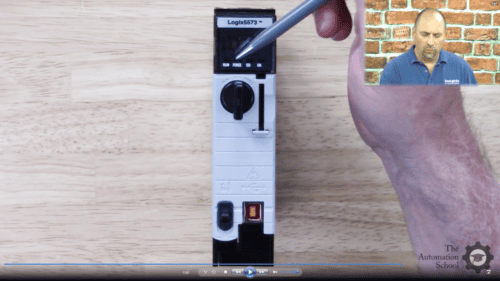
We begin with hardware diagnostics by learning how to interpret the controller’s front-panel LED indicators, including RUN, I/O, OK, FORCE, and BATT, so you can quickly determine whether you’re dealing with a major fault, a communication problem, or another issue.

Then, while configuring I/O, we take a deep dive into what causes the dreaded “Yellow Triangle.” You’ll learn how to use the Module Info and Connection tabs to diagnose Electronic Keying mismatches, communication timeouts, incorrect IP addresses, and other common configuration problems.

I also spend significant time covering Forcing I/O, including the proper procedures for safely overriding inputs and forcing outputs when troubleshooting field devices.

Can I learn without access to a PLC?

Yes.

I answer a similar question earlier in this FAQ (“Do I need physical PLC/PAC hardware and/or a physical PLC Trainer?”), so I’ll simply reiterate that you do not need a physical PLC or an expensive software license to successfully complete this course.

When I created this course, I knew many students wouldn’t have access to equipment and licenses to learn on, nor would they have the budget to purchase a ControlLogix controller and a Studio 5000 software license (starting at roughly $3,000).

To address that, I provide every PLC/PAC student of mine with a license for my PLC Application Simulator for Windows 10 and Windows 11, along with information about several additional free and low-cost alternatives.

For more information, please refer to Lesson 1.02 or the previous hardware question.

Can I follow along using Emulate or FactoryTalk Logix Echo?

Yes.

As long as your version of RSLogix or Studio 5000 supports the version of Emulate or FactoryTalk Logix Echo you’re using, either can serve as your Logix controller while completing many of the course demonstrations and optional exercises.

Although I don’t cover either product in detail in this course, both work well as controller alternatives for students who don’t have physical hardware.

Does it help if I’m migrating from PLC-5, SLC 500, or MicroLogix?

Absolutely.

This course was specifically designed for people who have experience with other PLC platforms and want to transition to ControlLogix.

And as I demonstrate throughout the course, the Ladder Logic editor and instruction set in RSLogix and Studio 5000 are very similar to those found in RSLogix 5, 500, and Micro, making the transition much easier than many people expect.

The course also focuses on helping experienced PLC users understand what’s new in the Logix platform while building on the knowledge they already have.

Does the course explain firmware revisions?

Yes.

As described in the previous answer about ControlFlash, firmware revisions are covered in detail throughout the course.

You’ll learn why firmware revisions matter, how they affect software compatibility, and how to determine which software version is required for a particular controller.

Will I learn how to flash controllers?

Yes.

As described in the previous answer about ControlFlash, updating controller firmware is an important skill for every Logix programmer.

In this course, I explain the firmware update process in detail so you’ll understand not only how to perform the update, but also when it should—and should not—be done.

Will I learn how to Force I/O?

Yes.

As described in the previous answer about troubleshooting, knowing how and when to Force I/O safely is an important skill for everyone using or maintaining programmable controllers.

Career Questions

Is ControlLogix still worth learning?

Yes.

ControlLogix continues to be one of Rockwell Automation’s best-selling controller families and remains one of the most widely used PLC/PAC platforms in North America.

Rockwell also recently released the next generation of ControlLogix controllers in the fall of 2025, and I discuss this new platform in the updated course that’s included with this course at no additional charge.

Whether you’re maintaining existing equipment or designing new systems, ControlLogix remains an excellent platform to learn.

Should I learn ControlLogix before CompactLogix?

Great question.

My first recommendation is to learn whichever platform your employer currently uses—or the platform used by the company where you’d like to work.

That said, from a software perspective, CompactLogix and ControlLogix are remarkably similar. I often compare them to different vehicles from the same manufacturer: while the body styles may differ, the dashboard, controls, and visual display/media center are often nearly identical.

The biggest differences are found in the hardware, which is why I generally recommend learning on the platform you’ll actually be using.

If you’re paying for your own training, there’s another important consideration. CompactLogix hardware—and the CompactLogix-only editions of Studio 5000 (Mini and Lite, discussed in Lesson 1.02)—are significantly less expensive than their ControlLogix counterparts.

So, for students learning on a budget, I generally recommend starting with CompactLogix because it provides an affordable path to learning both the Logix platform and Studio 5000.

Is this useful for maintenance electricians?

Absolutely.

I built this course specifically with maintenance electricians in mind.

For many maintenance professionals, the PLC isn’t just something they program—it’s one of the most valuable diagnostic tools available for determining why a machine isn’t running.

Because of that, I focus heavily on practical troubleshooting skills, including interpreting controller indicator lights, understanding software error messages, Force I/O safely, performing Online Edits, and clearing controller faults.

I also explain why the Destructive column in the Cross Reference window is one of the most valuable troubleshooting tools available, as well as how understanding how Modular Programs work can make both troubleshooting and machine maintenance much easier.

Does this prepare me for OEM work?

Yes.

If your goal is to work for an Original Equipment Manufacturer (OEM), this course will prepare you to set up, program, and troubleshoot ControlLogix systems.

Because OEMs build machines that need to be modular, repeatable, and easy for customers to maintain, I incorporate those concepts throughout the course.

You’ll also learn how to use Non-Volatile Memory to back up and restore controller programs, which is one way OEMs provide customers with updated “programs on a card” that often eliminates the need for an on-site service visit.

License Agreement and Permitted Use of Our Online Courses

This section covers the license agreement and permitted use of our online courses and course bundles, which also includes any course materials, code snippets, downloads, and provided software — taken together, referred to collectively as a “course.”

The purchase of a single copy of a course grants a single individual the right to use the course for personal instruction and reference only. Purchasing a course for yourself (or for another) does not grant anyone the right to distribute or share that work beyond the single individual who registers to take the course.

Show more

This means the course and course materials may not be shared with friends, relatives, co-workers, students, or anyone else, as each sale is for an individual license to access, view, and take the lessons, quizzes, and exercises, and to download any course materials, documents, code, files, and software included with the course.

This per-person licensing helps ensure that the instructor — who created the course and exclusively holds its copyright — can cover the cost of creating it, keeping it available to new and existing customers, and answering ongoing student questions, while receiving fair compensation for a course licensed on a per-person basis.

It is unlawful to share this copyrighted course and course material even if you do not charge or profit from doing so — including for non-profit and governmental organizations — since this proprietary educational work is designed as a chargeable training resource, not one made freely available to the public.

Any unauthorized sharing of the course or course materials would reduce the potential for additional sales and licensing, directly impacting the instructor’s ability to cover costs, keep the course available, and support customers who purchased it lawfully.

If you have questions about the above, please contact us using the “Contact” link in the site menu.

Course Content

Lesson 1.04-V: I/O Devices Used * New PAC
Lesson 1.05-B: PLC Application Simulator * v1
Lesson 1.06-V: FactoryIO: Intro, Use with Logix *
Lesson 1.07-V: PLCLogix 5000: Intro & Use *
Lesson 1.11-V: Live Student Q&A * via MSTeams
Lesson 1.12-V: One-On-One Mentoring *
Lesson 2: Hardware Section
Lesson 3: Logix Design
Lesson 4: Logix Hardware Part 1
Lesson 5: Logix Hardware Part 2
Lesson 6: Logix Hardware Part 3
Lesson 6B: PAC Anatomy
Lesson 7: Selection, Documentation
Quiz 1: Hardware Quiz 1 Quiz
Exercise 7A: Review Select Guides
Exercise 7B: Download PST, Test IAB (NEW)
Lesson 7.5: How to Estimate I/O & Network Capacity (NEW)
Lesson 8: Software Section
Lesson 9: About RSLogix, Studio 5000
Update: How To Get Demo Software
Update: Windows Patch Issues *
Lesson 10: Software First Look
Lesson 10B-V: Software Changes v31+ * New
Lesson 11: Controller Properties
Lesson 12: Tasks, Programs, Routines, Tags
Quiz 2: Software Quiz 1 Quiz
Lesson 13: Communications Section
Lesson 14: Addressing Ethernet, ControlNet
Lesson 15: Software Comm Drivers
Lesson 16: Flashing Firmware
Quiz 3: Communications Quiz 1 Quiz
Lesson 17: Programming Section
Lesson 18: I/O Configuration
Lesson 19: Testing I/O Config
Lesson 19B-V: Test I/O with L7 & v34 * New
Lesson 20: Controller, Program Tags
Quiz 4: Programming Quiz 1 1 Quiz
Lesson 21: Ladder Logic in ControlLogix
Lesson 22: Motor Control Ladder Routine
Lesson 23: Part Sensing Ladder Routine
Quiz 5: Programming Quiz 2 1 Quiz
Lesson 24: Function Block Diagram Routines
Lesson 25: Machine Run, Lube FBD
Lesson 26: User Defined Data Types
Lesson 27: Total, Good Parts FBD
Lesson 28: Structured Text Routines
Lesson 29: Scrap, Ratio Calc ST
Lesson 30: Sequential Function Chart Routines
Lesson 31: Part Count, Copy, Reset SFC
Lesson 32: Advanced Programming Intro
Lesson 33: Changing a Project’s Version
Lesson 34: Duplicate & Re-use Code
Lesson 35: Add-on Instructions (AOI)
Lesson 36: Download and Use AOIs
Lesson 37: Using PlantPAx Process Objects
Lesson 38: Produced & Consumed Tags
Lesson 39: Messaging ControlLogix Controllers
Lesson 40: Messaging PLCs over DF1
Lesson 41: Messaging PLCs over DH+
Lesson 42: Messaging PLCs over Ethernet
Lesson 43: PowerFlex VFD Integration (Digital Only)
Lesson 44: VFDs for Motor Control (Digital Only)
Lesson 45: Using FBD for VFD Control (Digital Only)
Lesson 46: Control VFDs over Ethernet (Digital Only)
Lesson 51: Importing PLC Programs (Digital Only)
Final Lesson and Credits
Appendix A: All Downloads (PACE)
Appendix P: Parts Used * New
Appendix R: Find Your Rockwell Rep (2018) *
Appendix T: Trainer / Teststand *
Bonus-V: PLC Comms Setup *